











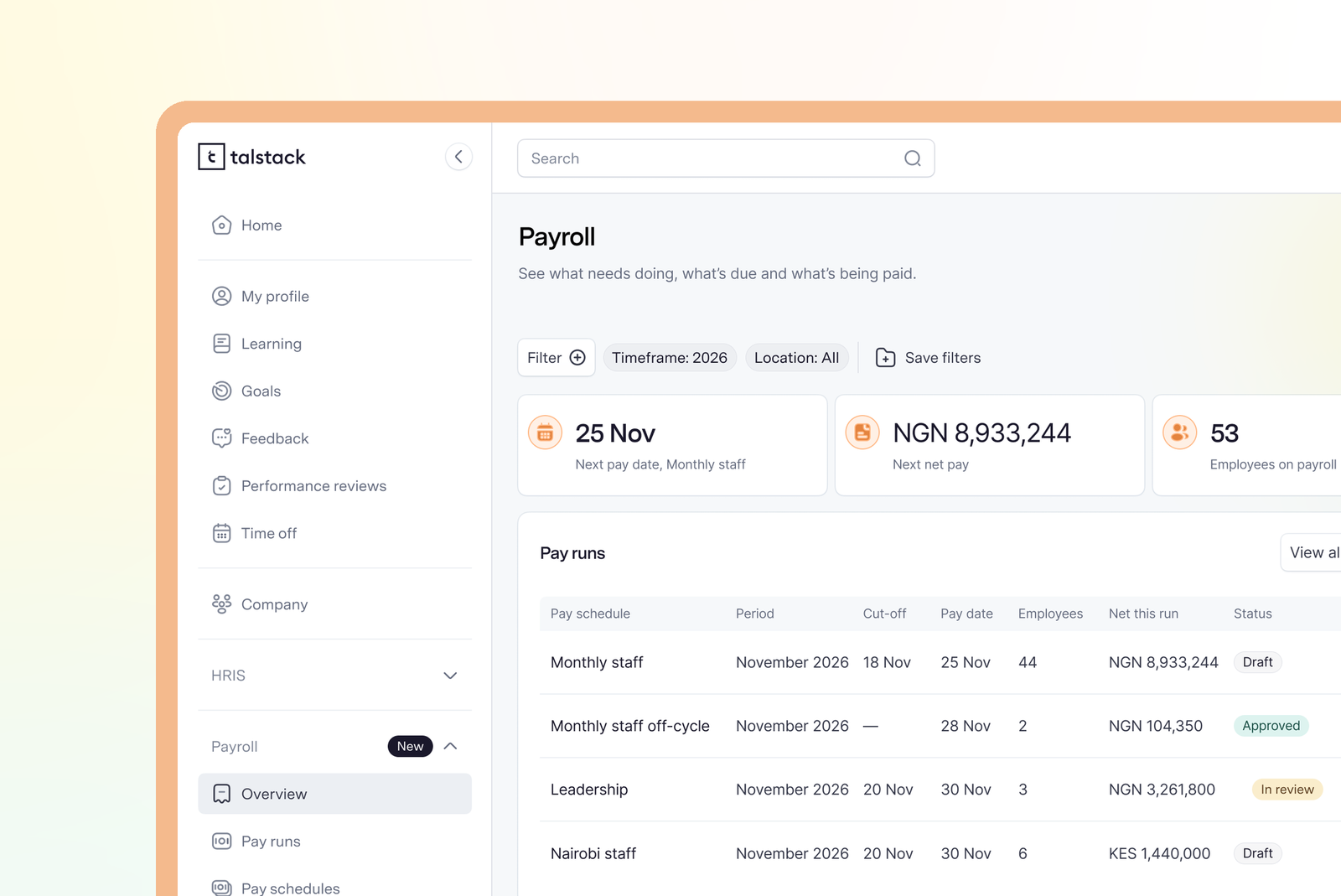
Automate payroll calculations, stay compliant with local tax rules and give finance confidence that every figure is right before anyone is paid.
Trusted by leading companies








Pre-payday checks
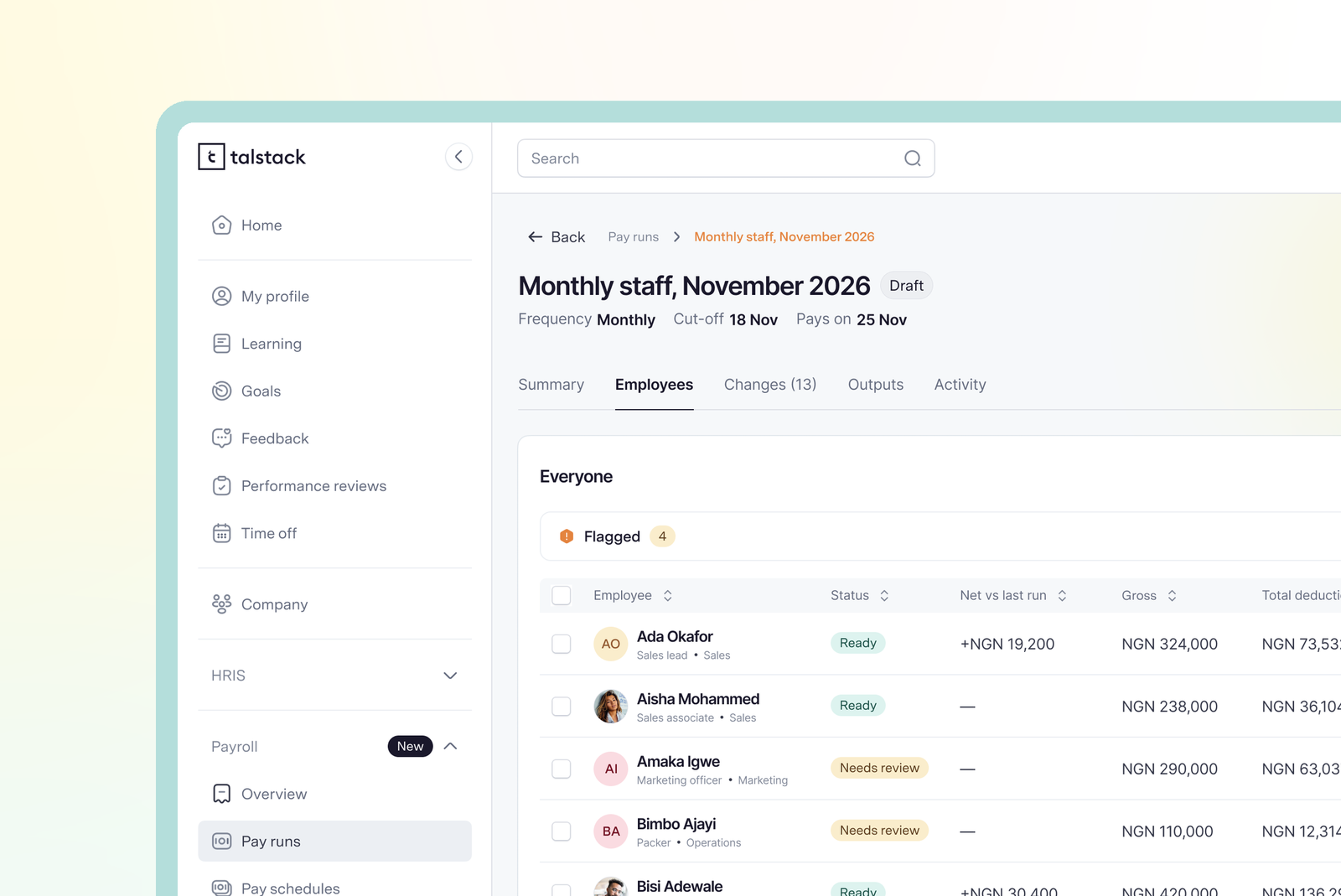
Every person’s pay is checked before you submit the run, so you can catch an unexpected drop in pay or a duplicate bank account before anyone is paid. If pay has changed, you can see why.
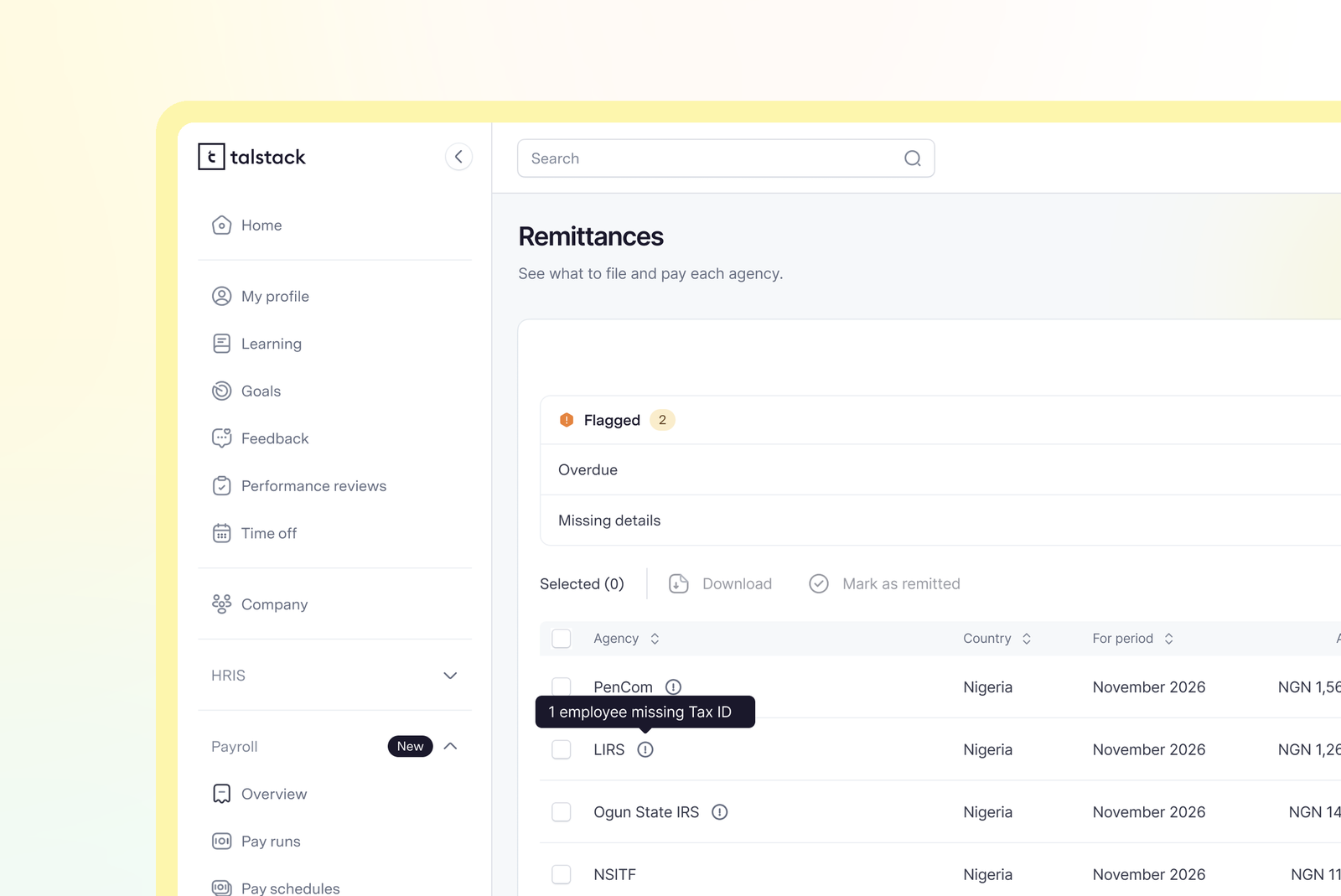
Statutory compliance
Income tax, pension and other statutory deductions are calculated for each person using up-to-date local rules. See how much you owe each agency and download the returns you need to file.
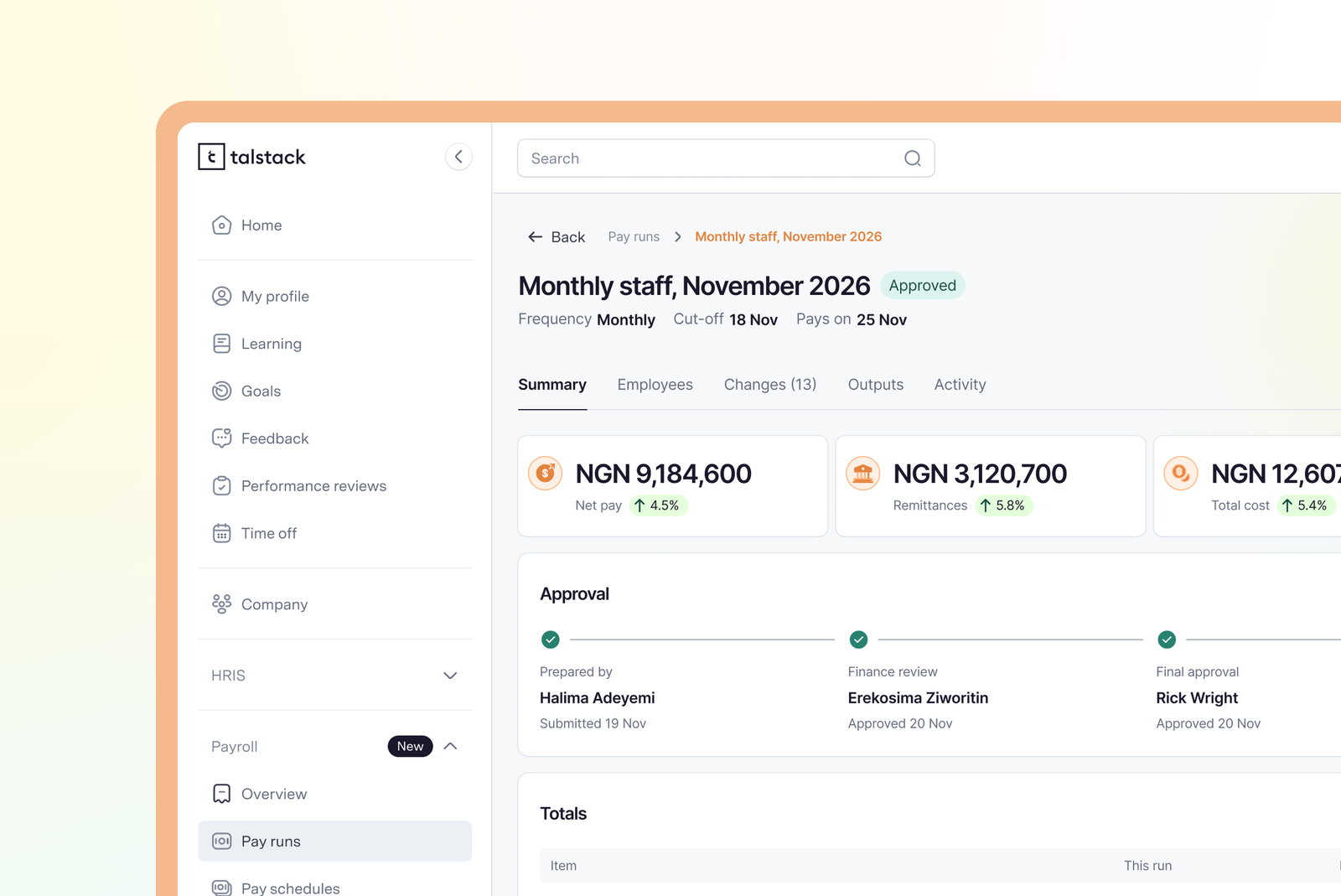
Approvals
Set up the sign-off steps your team needs, from finance review to final approval. Reviewers can approve the run or send it back with a reason.
Features
Run monthly or semi-monthly pay schedules, each with its own pay day, cut-off and approval flow.
Set pay items, gross splits and salary ranges once, with statutory items locked to what the law requires.
Update salaries and add allowances, deductions and loans for many people at once, or upload a file.
Pay bonuses, back pay and other one-off payments outside your regular schedule.
Work out part-month pay for joiners, leavers and unpaid leave by calendar days, a fixed 30 days or working days.
Download a bank file, password-protected payslips, an accounting journal and a full payroll register for every run.
Pay people in each country in their own currency, with company totals in one reporting currency.
Employees see their payslips, pay history, upcoming changes and loan balances on their own profile.
The TALSTACK platform
One accurate record for every employee, with onboarding, documents and access in one place.
Learn more
Manage leave policies, requests and team availability without spreadsheets.
Learn more
Run 360° review cycles with your own templates and automated reminders.
Learn more
Can we run payroll in more than one country?


Yes. Talstack Payroll is built for companies that pay people across borders. Pay each person in their own country's currency, see company totals in one reporting currency, and let Talstack keep each country's tax and statutory rules up to date.
Does Talstack pay your people and agencies directly?
Talstack prepares, checks and approves your payroll, then produces the bank file you upload to your own bank to pay your people. For remittances, Talstack works out what you owe each agency and when it is due, and prepares the return to file. You file and pay through your usual channels, then mark the remittance as done in Talstack.
How does Talstack calculate income tax?
Talstack follows each country's tax rules and keeps them up to date. Where a country lets you choose how tax is calculated, you set it once. Taxable bonuses and other extra payments are added to that month's pay before tax is worked out, and back pay is taxed in the month it is paid.
We are switching payroll mid-year. Can we bring our history across?
Yes. You can upload each person's year-to-date pay, so year-to-date tax is correct from your first run. You can also run a past month as a test and compare it with your existing payroll register, person by person, before you go live. Our team helps you get set up.
Can we pay contractors?
Yes. Contractors and consultants have their own pay schedule. Each gets one fee line with withholding tax deducted where it applies, and none of the employee deductions such as pension.
Who can see pay information?
Only people who need it. Super admins, people whose role includes the Payroll permission and approvers on the runs they approve can see pay. An HR admin without the Payroll permission sees no pay information, and nobody who prepares a pay run can approve it.
